v2.0.5 — Windows · Linux · macOS

Compare schemas.
Generate scripts.

A tool for comparing database schemas and generating update scripts. Fast, precise, cross-platform.

downloads
base-diff
$ basediff compare source.db target.db   Analyzing schemas... Found 4 differences   + CREATE TABLE audit_log (...); ~ ALTER TABLE users ADD COLUMN avatar TEXT; + CREATE INDEX idx_users_email ON users(email); − DROP TABLE legacy_sessions;   ✓ Update script generated → update.sql
0+
DB object types
0
Supported databases
0
Platforms
0
Export formats

Complete path to schema automation

From analysis to reporting. BaseDiff covers the entire migration lifecycle.

Source & Target DB

Process entry points.

BaseDiff Engine

Smart structure analysis.

Save/Load project (JSON)

Persistence of your work.

Visual Comparison

Clear change visualization.

Script Generation

Automated SQL code.

Review & Report

Validation before deployment.

Everything for managing database schemas

From comparison to export – BaseDiff covers the entire workflow without writing SQL manually.

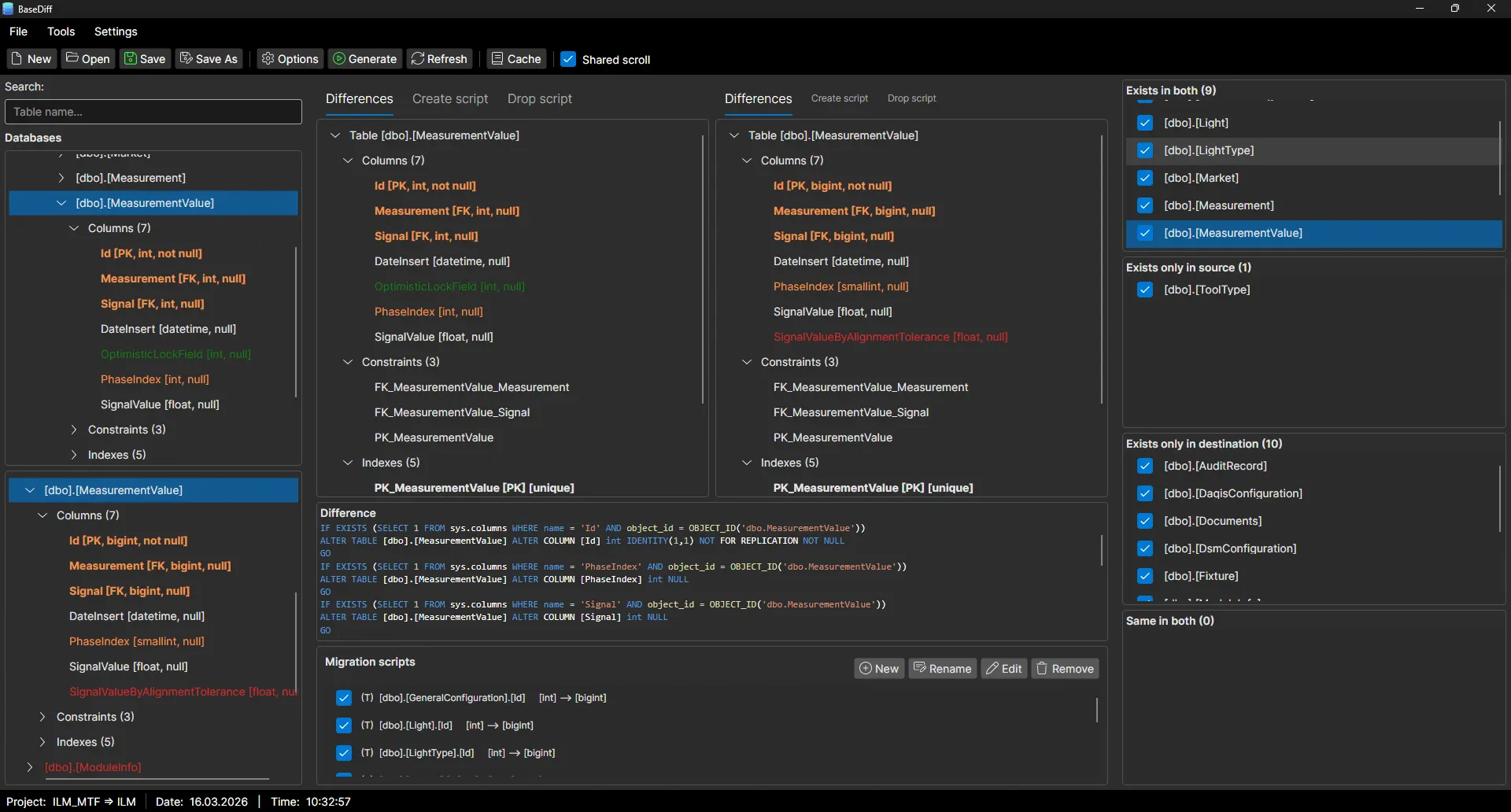
Schema comparison

Visual comparison of two database schemas with a clear display of differences. Swap source and target with one click.

Script generation

Automatic generation of ALTER, CREATE and DROP scripts to synchronize databases.

Blazing fast

Optimized engine for analyzing even large database structures in seconds.

Safe

Preview changes before applying. No unexpected modifications to your database.

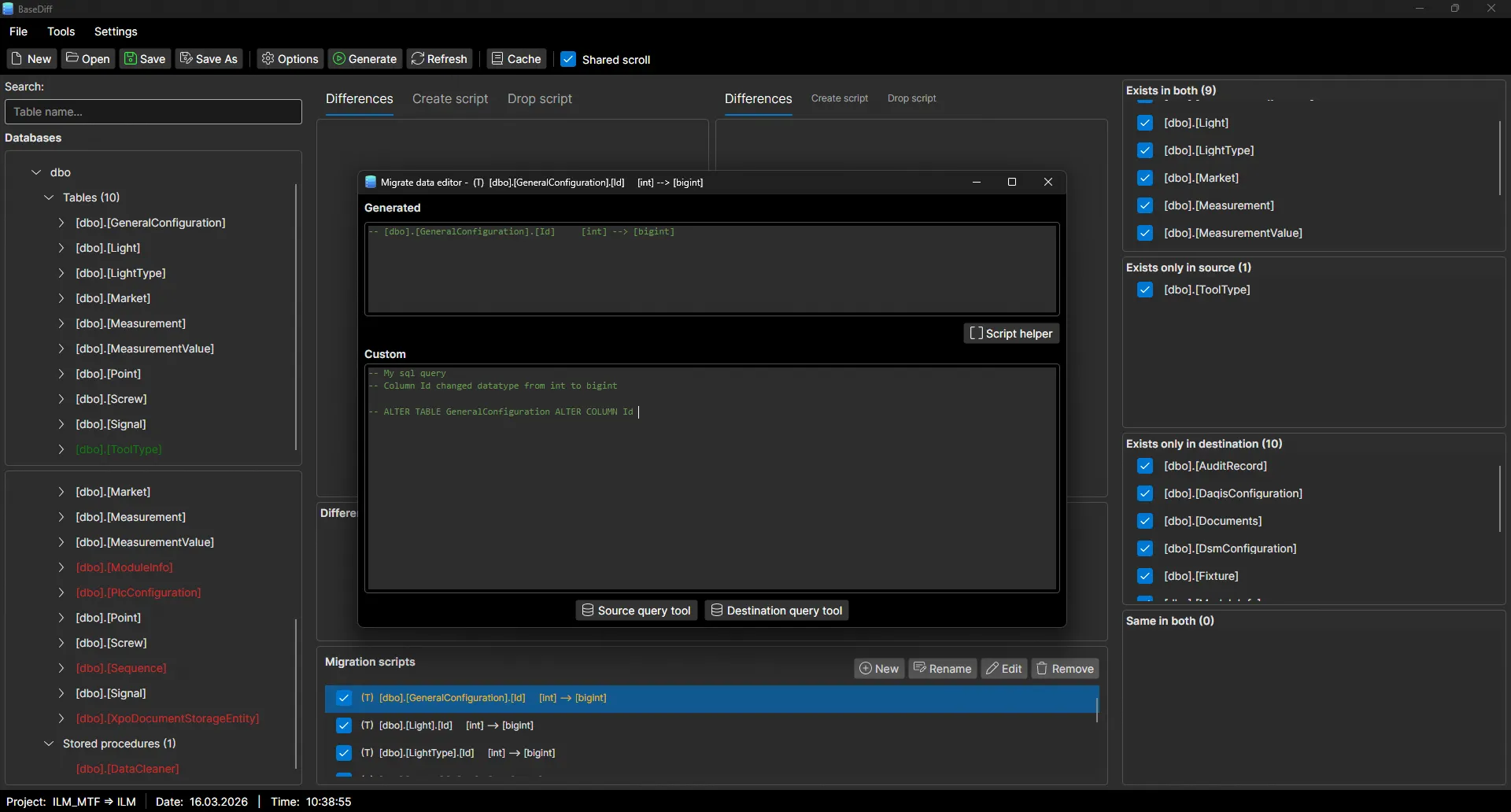
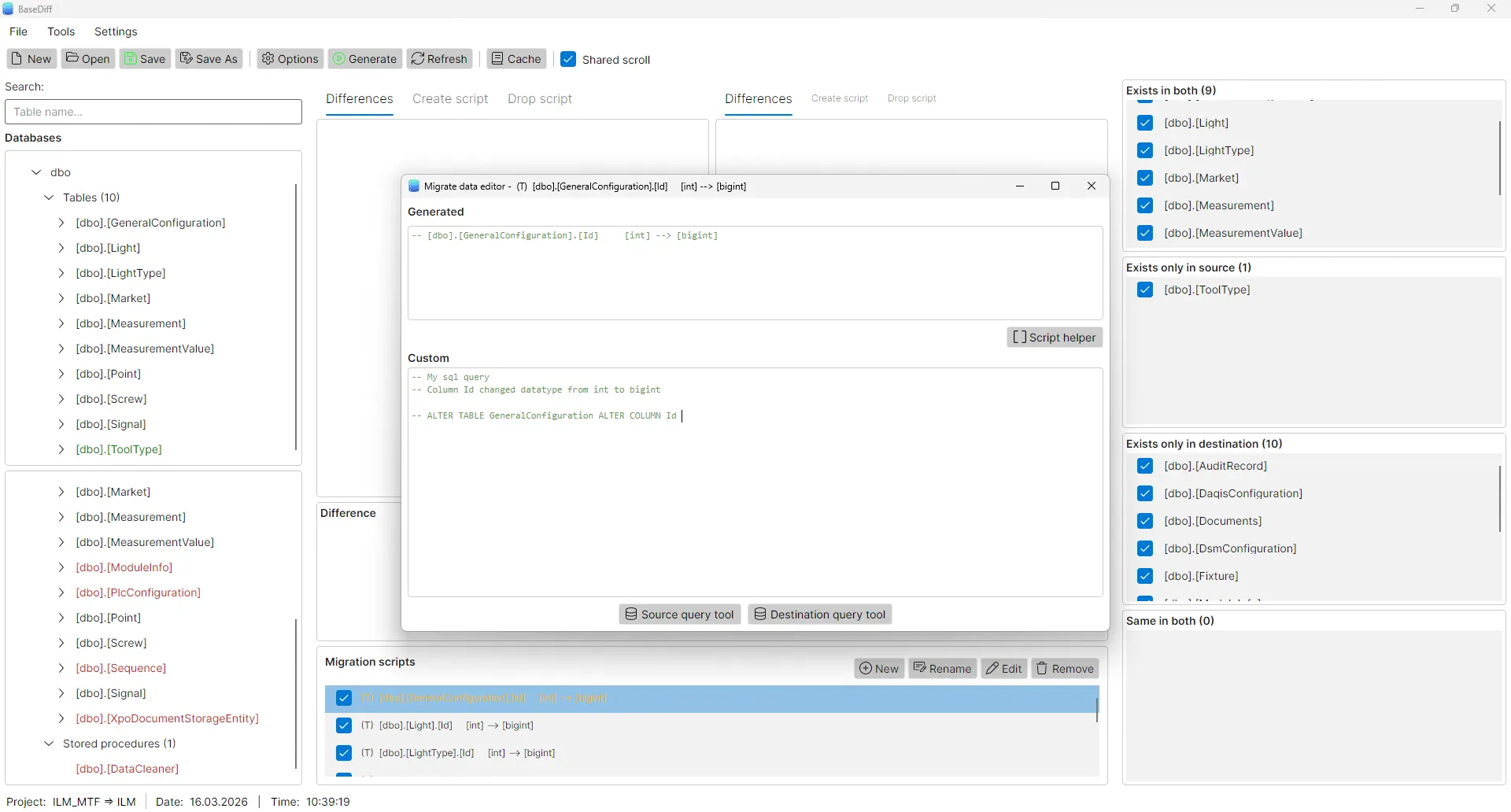
Script editing

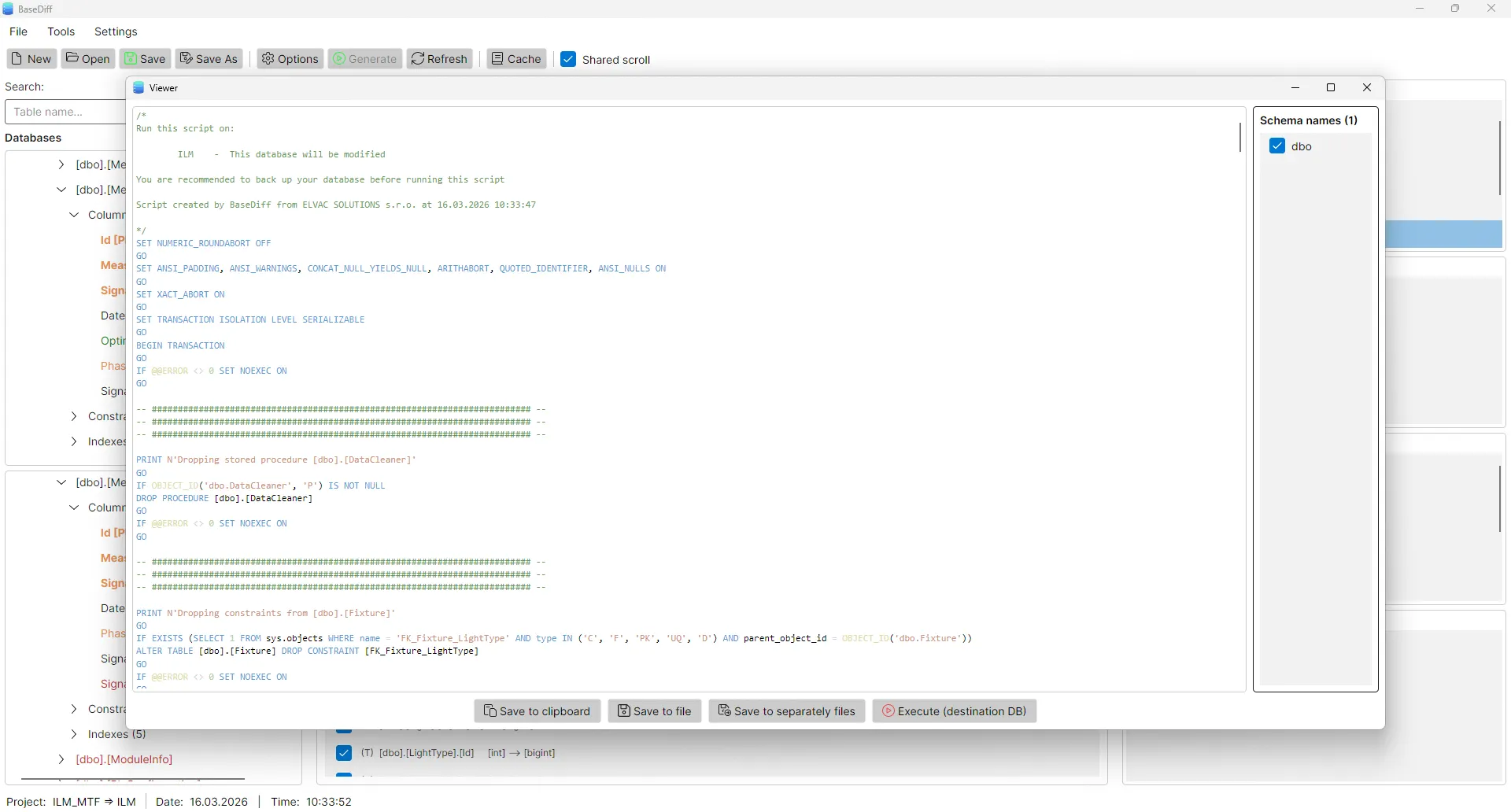
Edit generated scripts before export. Choose exactly what to include in the output.

Save project

Save comparison config to JSON and return anytime. Offline mode supported.

Flexible export

Export to a single file or separate files (create, alter, drop, data migration).

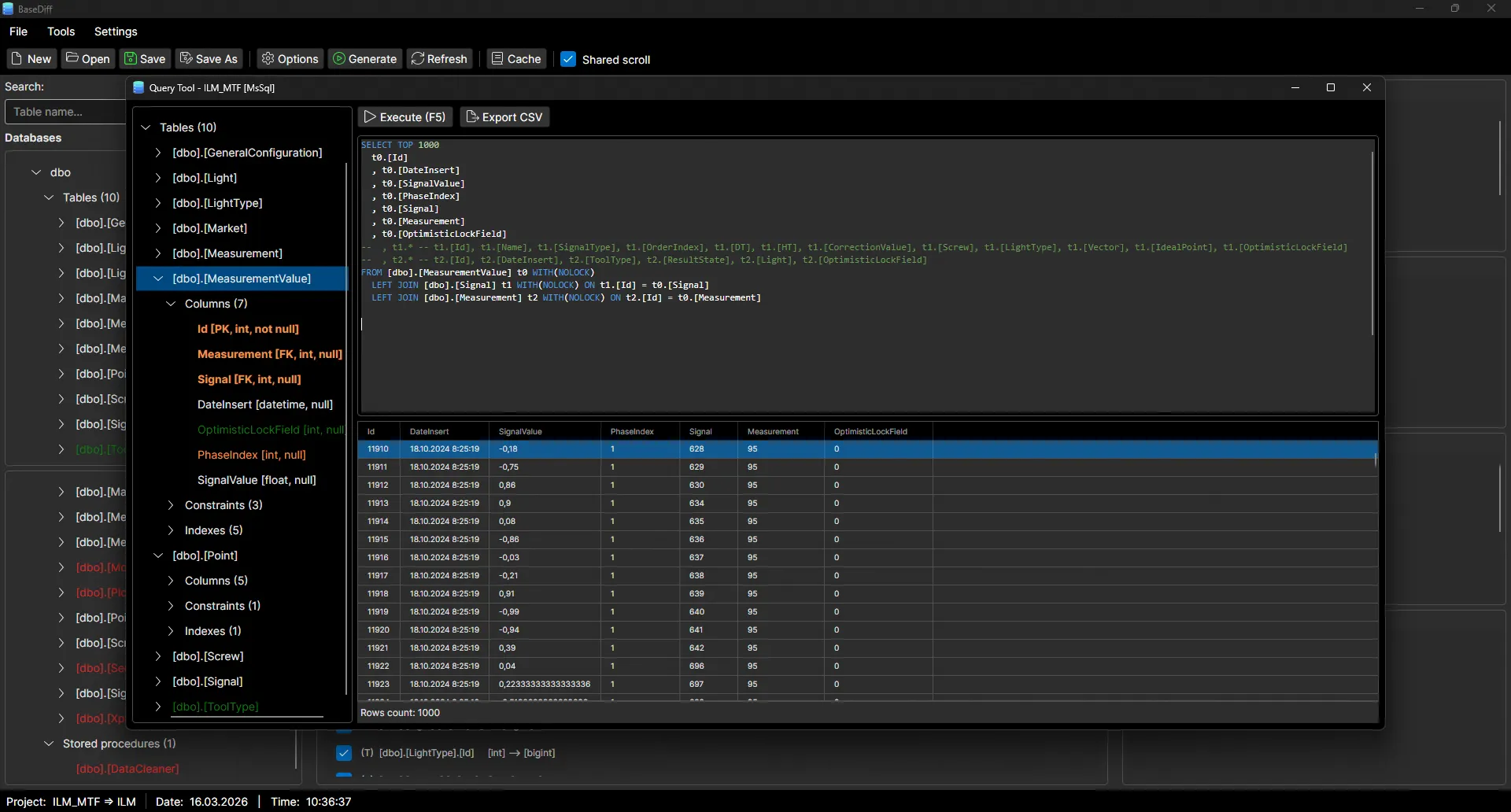
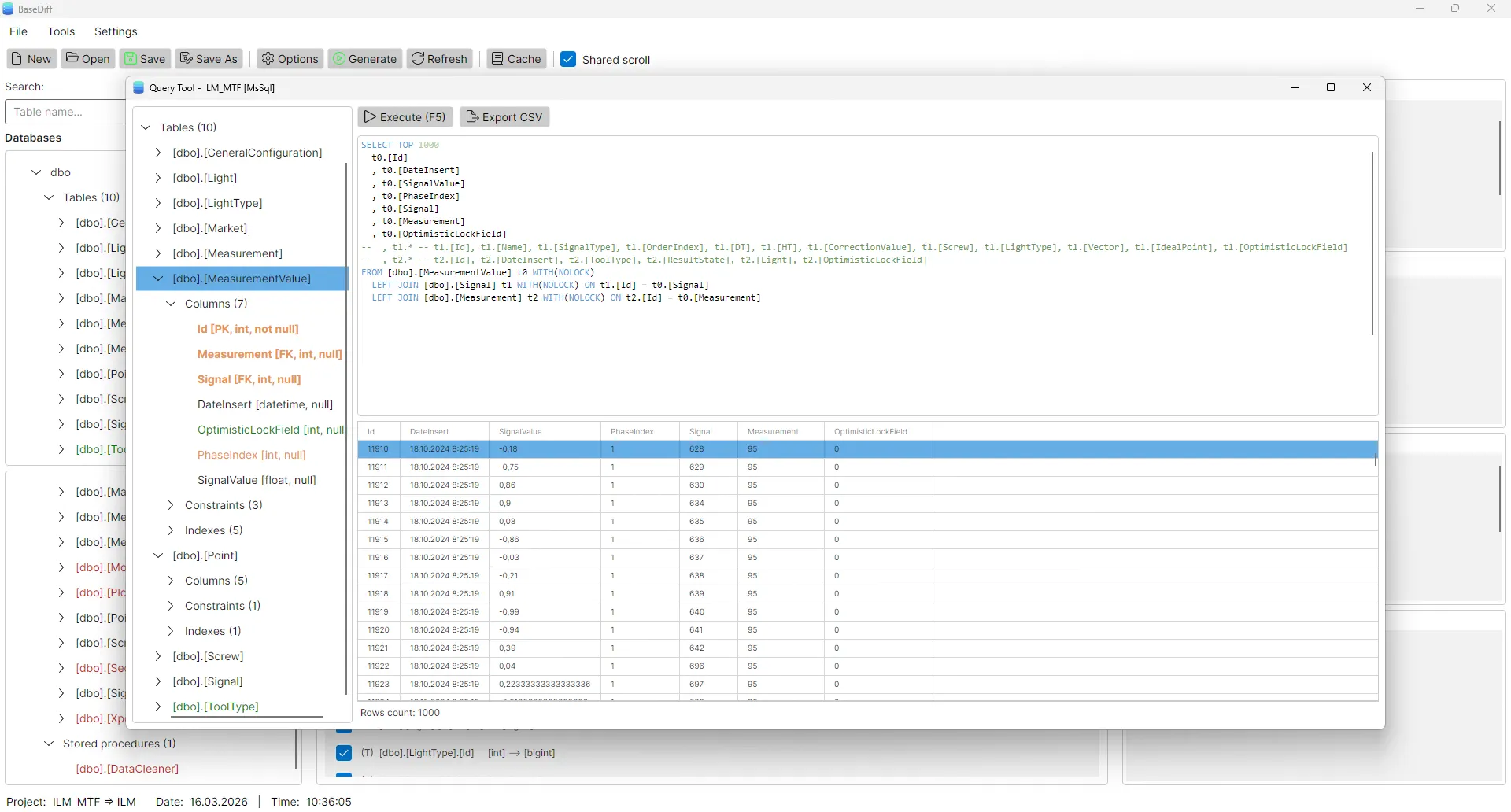
Query Tool

Build SQL queries including JOINs and use them directly in migration scripts.

Themes & languages

Light and dark mode. Interface in English.

Your data is in absolute safety

BaseDiff operates locally, without cloud and without risk of metadata leakage.

  • 100% Offline operation
  • No cloud, no risk
  • Data never leaves your machine
  • Safe even in isolated networks

Precise Schema Diffing

BaseDiff generates clean, human-readable SQL. See how it handles a typical table modification.

update_schema.sql
SQL Server
-- BaseDiff generated script
ALTER TABLE [dbo].[users]
ADD [avatar_url] NVARCHAR(MAX) NULL;
+ -- Added by BaseDiff comparison

CREATE INDEX [idx_users_email] 
ON [dbo].[users] ([email]);
+ -- New optimization detected

ALTER TABLE [dbo].[orders] 
DROP COLUMN [temp_id];
- -- Cleanup legacy column

Complete coverage of database objects

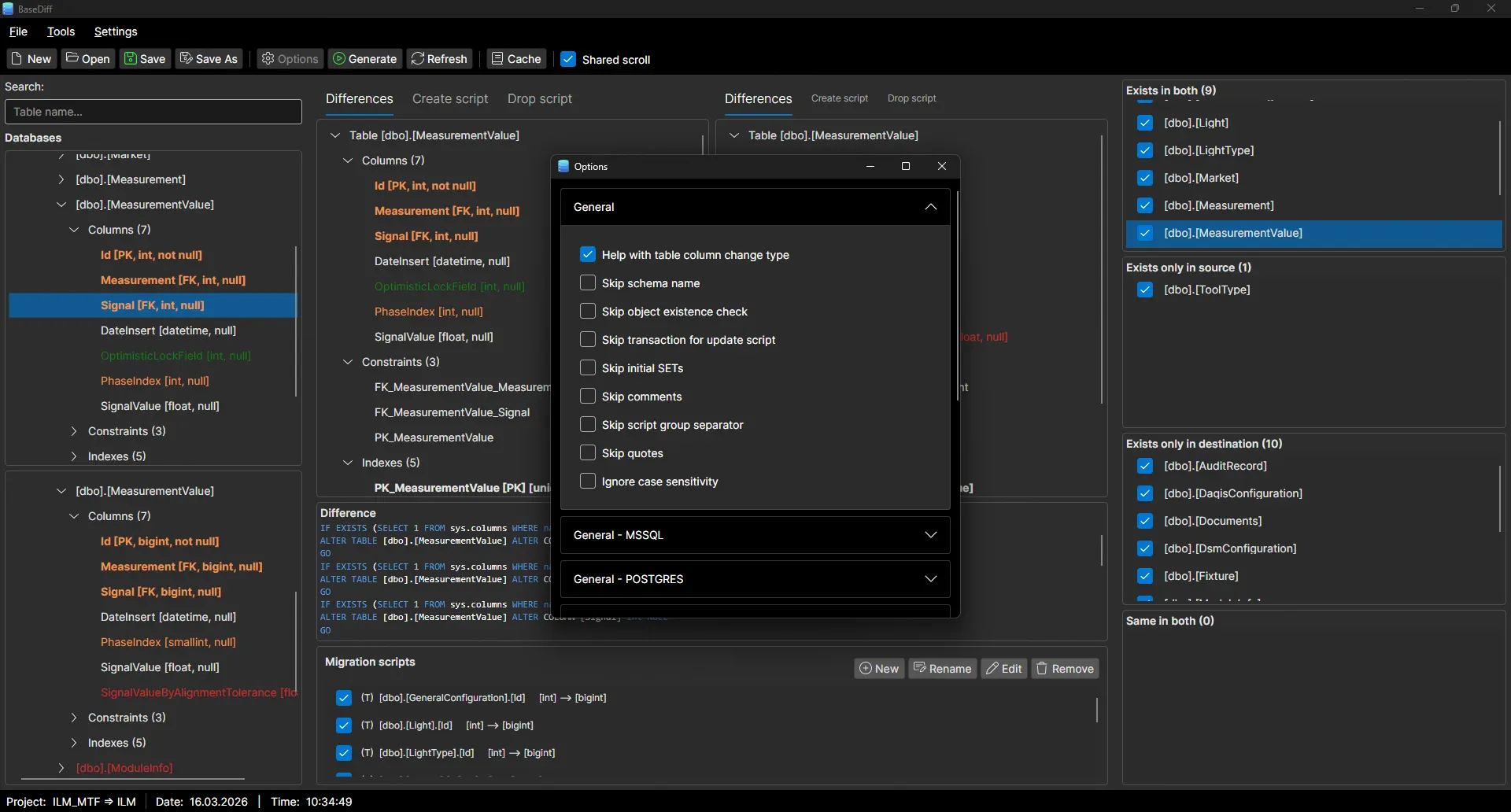
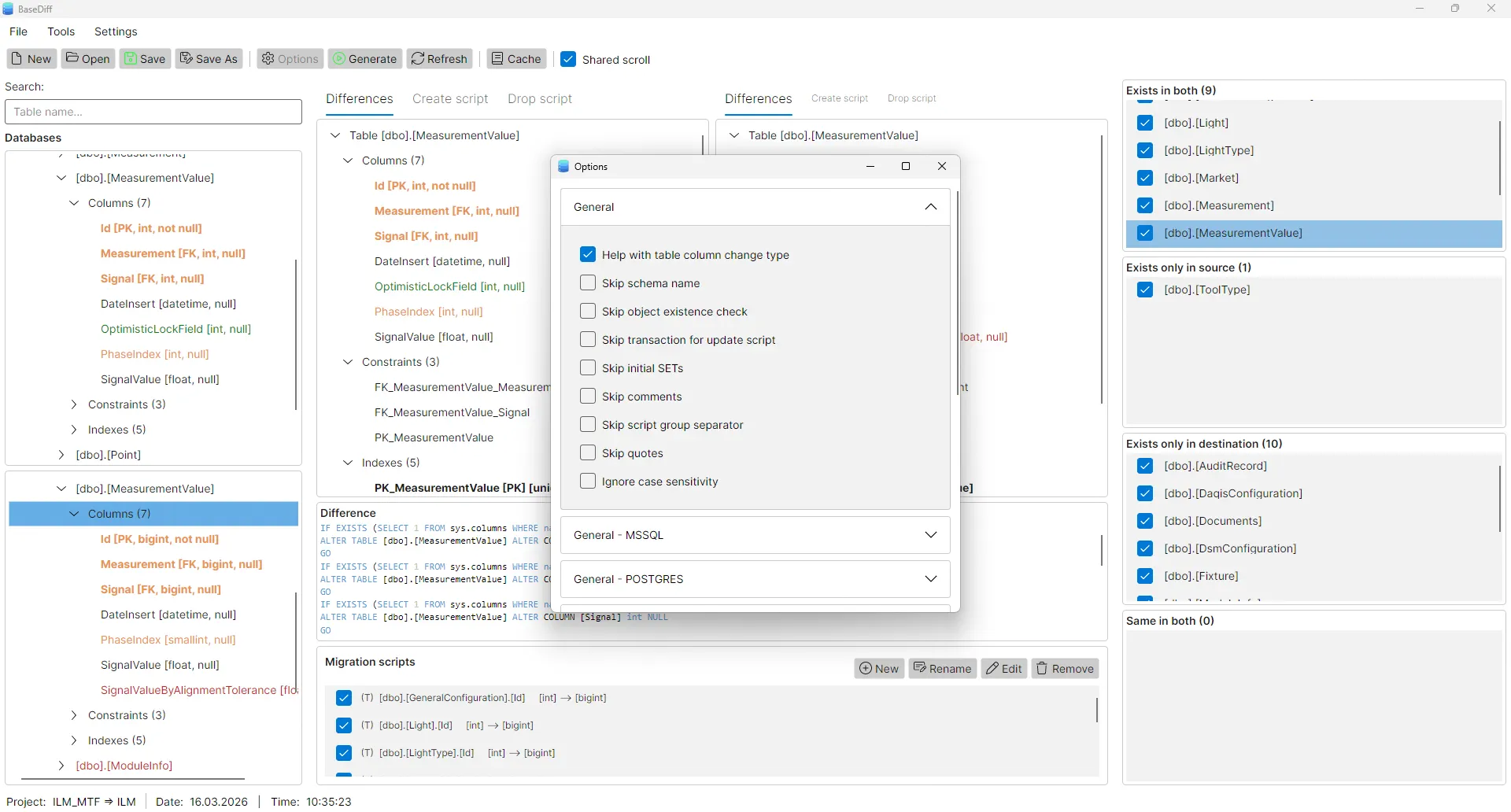
Choose which objects and properties to include in comparison.

Tables
Indexes
Constraints (FK, CK, UQ)
Views
Stored procedures
Functions
Triggers
Migrations

How BaseDiff stands out

Why we built our own tool and why it might be the right choice for you too.

Our Philosophy

We were tired of expensive licenses and tools limited only to Windows. BaseDiff born as an internal project with the goal of being fast, cross-platform and accessible to everyone.

Feature BaseDiff Other Tools
Price Free / Coffeeware Expensive / Subscription
Multi-Platform Win, Linux, macOS Mostly Windows only
Installation Portable (no install) Heavy installers
Simplicity Focused & Light Over-featured & Bloated
Privacy 100% Offline Cloud requirements

Work with databases you know

Currently supporting MS SQL Server and PostgreSQL. More databases coming soon.
MS SQL Server

Windows Auth & SQL Auth
Available Learn more

PostgreSQL

Full schema support
Available Learn more

MySQL

Coming soon
Soon

Oracle

Coming soon
Soon

SQLite

Coming soon
Soon

See how it looks

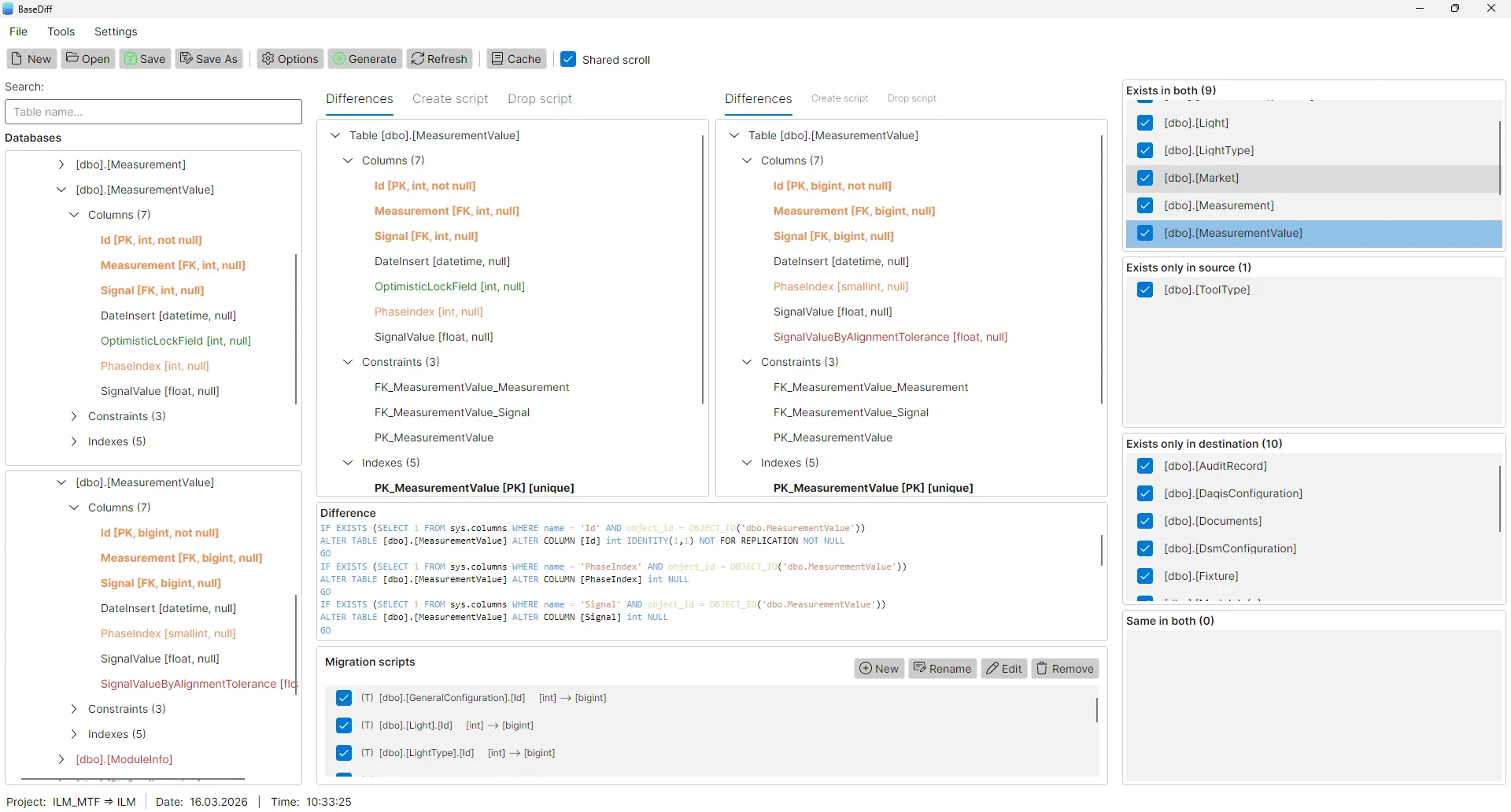
BaseDiff main window showing database schema comparison tree with SQL update scripts BaseDiff main window showing database schema comparison tree with SQL update scripts
Main window – schema trees and update scripts
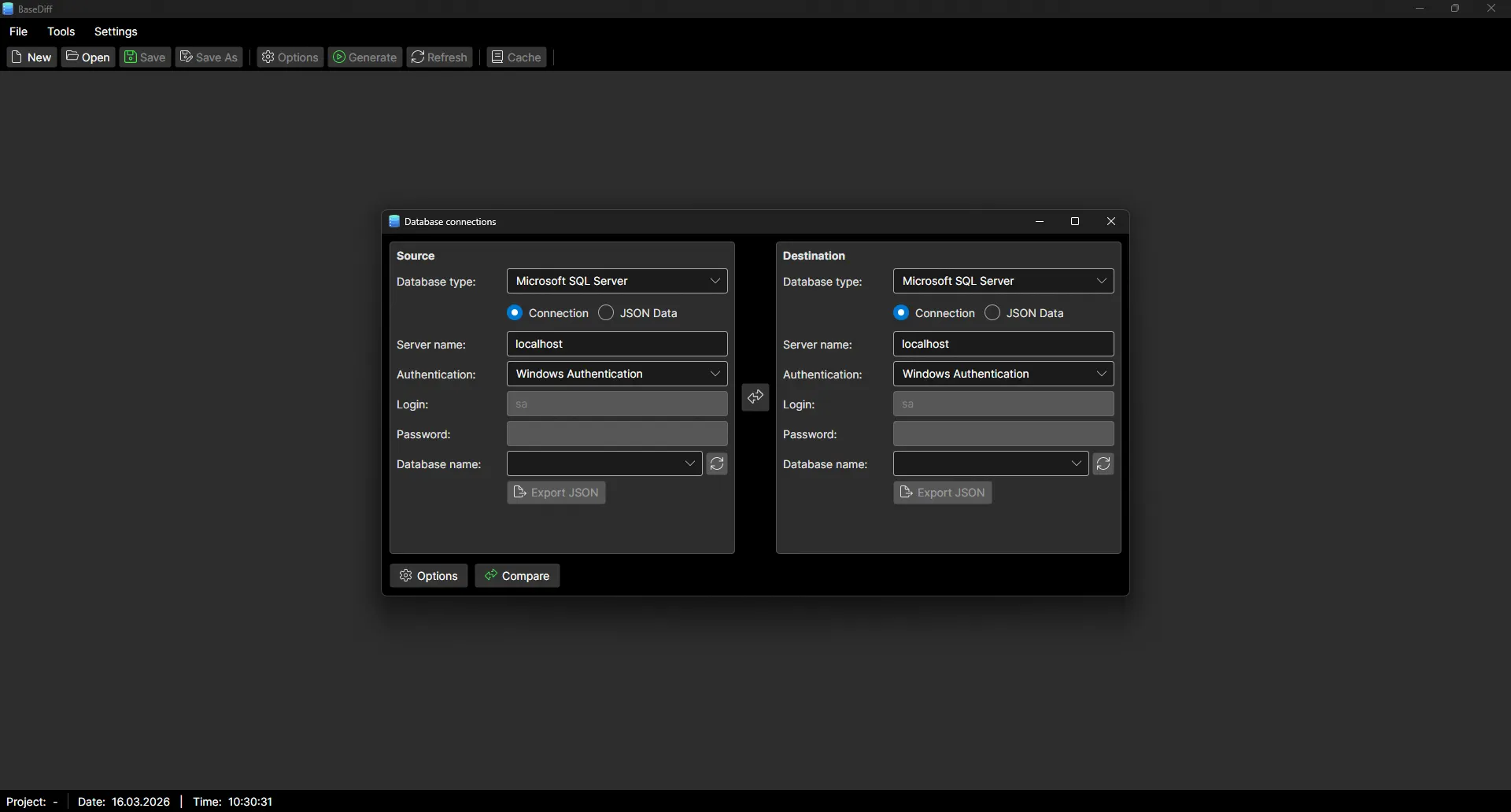
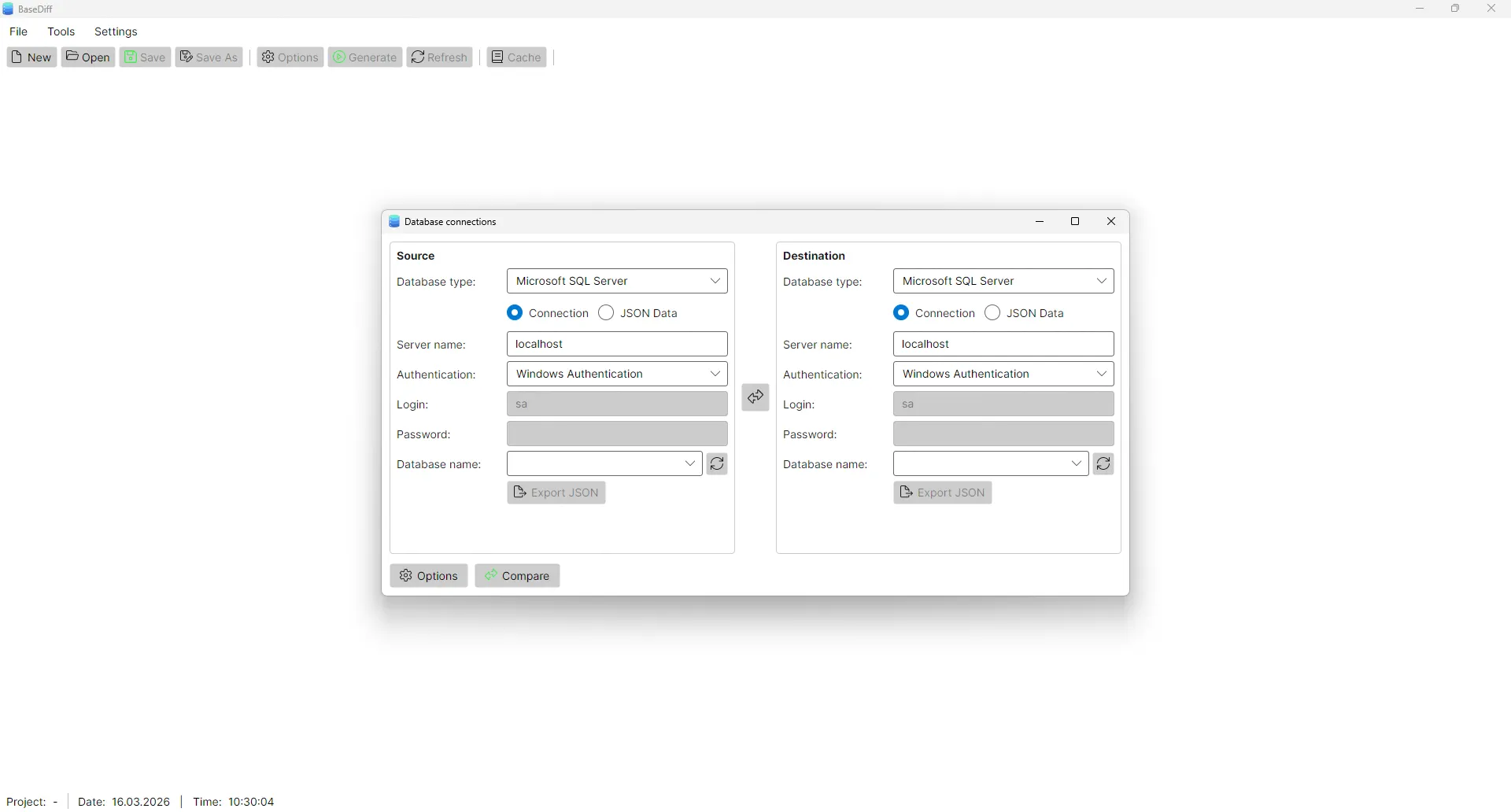
BaseDiff source and target database selection dialog for SQL Server schema comparison BaseDiff source and target database selection dialog for SQL Server schema comparison
Source and target database selection
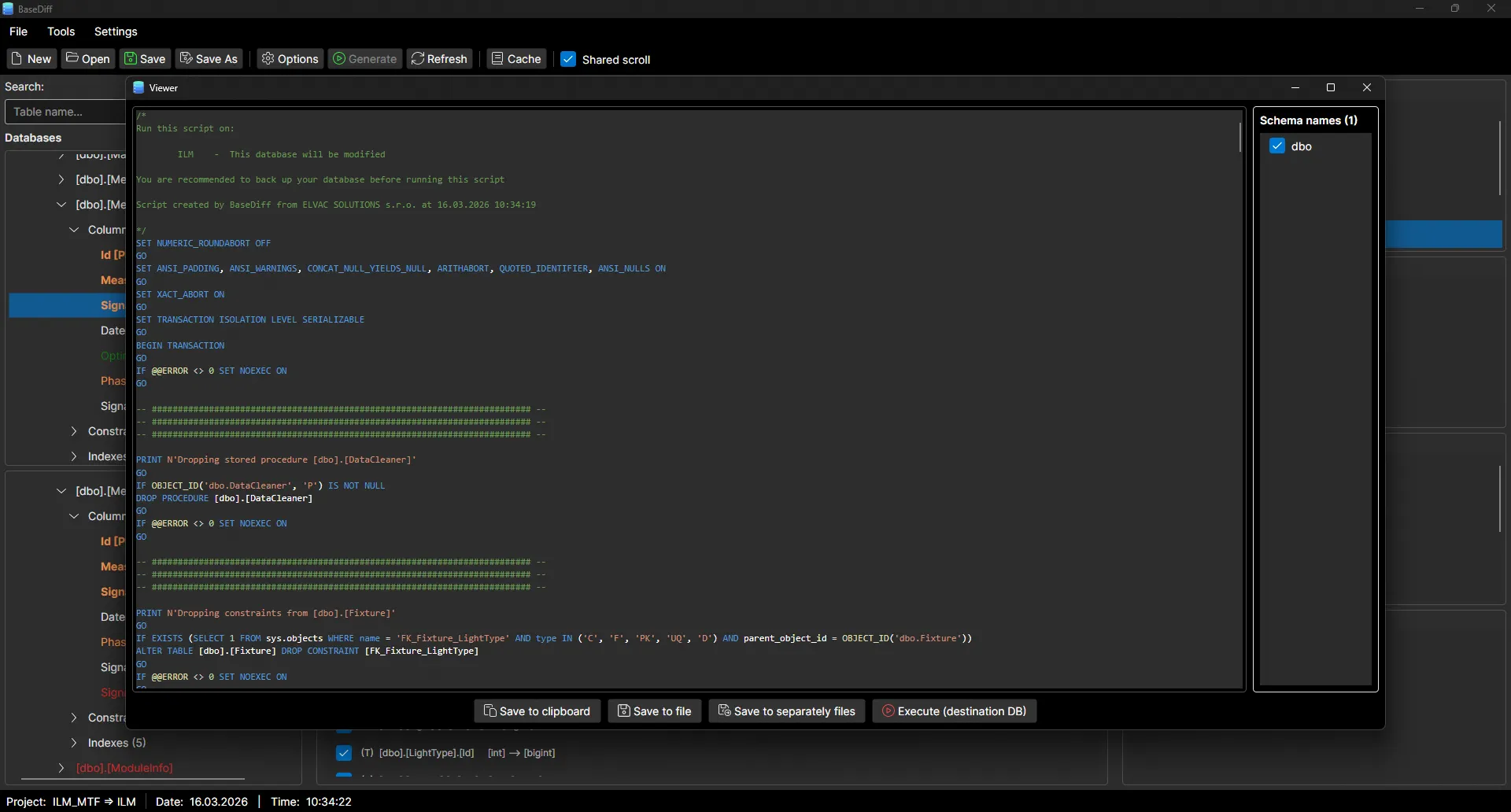
BaseDiff SQL migration script export to files including CREATE ALTER and DROP statements BaseDiff SQL migration script export to files including CREATE ALTER and DROP statements
Export update scripts to files
BaseDiff tracked database objects settings including tables indexes views stored procedures and triggers BaseDiff tracked database objects settings including tables indexes views stored procedures and triggers
Compare options – tracked objects
BaseDiff Query Tool building SQL SELECT queries with JOINs for database migration scripts BaseDiff Query Tool building SQL SELECT queries with JOINs for database migration scripts
Query Tool – building queries
BaseDiff Migration Data Editor for editing and managing database data migration scripts BaseDiff Migration Data Editor for editing and managing database data migration scripts
Migration Data Editor

Frequently Asked Questions

Is BaseDiff really free?
Yes, BaseDiff is free for both personal and commercial use. We originally developed it for our own internal needs and use it daily on our projects, but decided to share it with the community. If BaseDiff saves you time and effort, we appreciate any feedback, suggestions for improvement, or support via "Buy me a coffee".
Is my database data safe?
Absolutely. BaseDiff is a desktop application that runs locally on your computer. The connection to the database is direct from your machine, and no data or schemas are ever sent to our servers.
Which databases does the application support?
Currently we fully support Microsoft SQL Server and PostgreSQL (including specifics like triggers or functions). Support for other databases (e.g. MySQL) is planned.
Does BaseDiff work on macOS and Linux?
Yes, BaseDiff has been developed as a cross-platform tool from the start. We offer versions for Windows, Linux, and macOS.
Do I need to be connected to the internet while comparing?
No. You only need the internet to download the app. The actual schema comparison and script generation take place entirely offline on your network.
Can I edit the generated SQL script before running it?
Of course. BaseDiff allows you to first preview and edit the script, and then either export it to a file or copy it to the clipboard.

Start using BaseDiff today

After installation, configure connections and create your first comparison project.

Total downloads:

Windows x86

Installer (32-bit)
Download .exe

Linux

AppImage
Download AppImage

macOS

Portable (.zip)
Download .zip

Win x64 Port.

Portable 64-bit
Download .zip

Win x86 Port.

Portable 32-bit
Download .zip

Linux Port.

Portable x86_64
Download .tar.gz

Installation Notes

Linux

After extracting the archive, you need to allow execution:

chmod +x BaseDiff

macOS

If the app won't open, right-click and select "Open" or run:

xattr -d com.apple.quarantine BaseDiff.app

Do you like BaseDiff?

The software is free. If it saved you time, you can support us with a coffee. ☕

Buy us a coffee
Feedback